:Search:

Premiere Pro Essential Training 2022 2024 Thomas

Torrent:
Info Hash: 2FC690B1CEAD1F130A5951DE5016128121F3400A
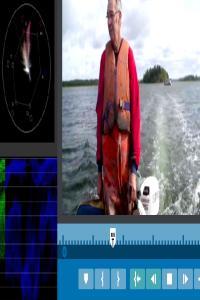
Thumbnail:
Similar Posts:
Uploader: Thomaskhan
Source: T Logo Torrent Galaxy
Downloads: 837
Language: English
Category: Other
Size: 3.0 GB
Added: Aug. 16, 2024, 3:50 p.m.
Peers: Seeders: 8, Leechers: 1 (Last updated: 11 months ago)
Tracker Data:
Tracker Seeders Leechers Completed
udp://open.stealth.si:80/announce 0 0 348
udp://exodus.desync.com:6969/announce (Failed to scrape UDP tracker) 0 0 0
udp://tracker.cyberia.is:6969/announce 0 0 0
udp://tracker.opentrackr.org:1337/announce 7 0 480
udp://tracker.torrent.eu.org:451/announce 0 0 9
udp://explodie.org:6969/announce 0 0 0
udp://tracker.birkenwald.de:6969/announce 0 1 0
udp://tracker.moeking.me:6969/announce (Failed to scrape UDP tracker) 0 0 0
udp://ipv4.tracker.harry.lu:80/announce (Failed to scrape UDP tracker) 0 0 0
udp://tracker.tiny-vps.com:6969/announce 1 0 0
udp://tracker.rarbg.torrentbay.st:6969/announce 0 0 0
Files:
  1. Exercise Files.zip 1.6 GB
  2. README.txt 2.2 KB
  3. 01. Getting started with Premiere Pro.mp4 11.4 MB
  4. 02. Using the exercise files and linking your media.mp4 9.3 MB
  5. 03. What version of Premiere Pro does this course cover.mp4 3.3 MB
  6. 01. Starting a new project.mp4 11.8 MB
  7. 02. Opening an existing project.mp4 4.1 MB
  8. 03. Touring the Project panel.mp4 27.6 MB
  9. 04. Touring the Source Monitor.mp4 14.2 MB
  10. 05. Touring the Timeline.mp4 13.0 MB
  11. 06. Touring the interface and workspaces.mp4 13.9 MB
  12. 01. Asset organization Getting set up.mp4 39.0 MB
  13. 02. Using the Import window and Media Browser.mp4 15.8 MB
  14. 03. Understanding asset types.mp4 17.5 MB
  15. 04. Organizing assets using bins.mp4 9.5 MB
  16. 05. Moving copying and deleting assets.mp4 20.8 MB
  17. 06. Performing searches.mp4 13.9 MB
  18. 01. Basic editing Laying the foundation.mp4 32.0 MB
  19. 02. Playing and marking shots.mp4 17.3 MB
  20. 03. Subclipping shots.mp4 13.8 MB
  21. 04. Setting up a sequence.mp4 9.3 MB
  22. 05. Performing insert edits to build the sequence.mp4 18.1 MB
  23. 06. Moving clips and swapping shots.mp4 12.0 MB
  24. 07. Removing material for concision.mp4 18.9 MB
  25. 08. Adding video b-roll.mp4 22.9 MB
  26. 09. Touring the text-based editing environment.mp4 13.4 MB
  27. 10. Editing source material with text-based editing.mp4 11.0 MB
  28. 11. Editing your sequence with text-based editing.mp4 10.7 MB
  29. 01. Trimming Fine-tuning the product.mp4 28.4 MB
  30. 02. Trimming shot length using ripple trims.mp4 13.4 MB
  31. 03. Adjusting transitions using roll trims.mp4 16.3 MB
  32. 04. Changing content and position Slip and slide.mp4 22.5 MB
  33. 05. Performing top and tail edits.mp4 11.8 MB
  34. 01. Using markers for organization.mp4 21.7 MB
  35. 02. Understanding track and clip behavior.mp4 15.4 MB
  36. 03. Working with Scene Edit Detection.mp4 7.6 MB
  37. 04. Undoing and redoing actions.mp4 7.0 MB
  38. 05. Customizing the keyboard.mp4 11.9 MB
  39. 06. Modifying buttons on the user interface.mp4 6.9 MB
  40. 01. Audio editing Building the soundtrack.mp4 63.1 MB
  41. 02. Exploring audio channel configuration.mp4 19.2 MB
  42. 03. Editing in your music.mp4 26.8 MB
  43. 04. Making audio gain adjustments.mp4 28.6 MB
  44. 05. Adjusting audio volume.mp4 11.9 MB
  45. 06. Keyframing audio volume.mp4 14.3 MB
  46. 07. Working with double-system sound.mp4 9.6 MB
  47. 01. Still images Finding depth and meaning within photos.mp4 35.5 MB
  48. 02. Working with stills.mp4 17.8 MB
  49. 03. Animating stills.mp4 20.8 MB
  50. 01. Video effects Correcting and changing your footage.mp4 45.1 MB
  51. 02. Using basic motion effects.mp4 14.0 MB
  52. 03. Working with transition effects.mp4 16.4 MB
  53. 04. Applying and modifying video effects.mp4 13.5 MB
  54. 05. Saving and sharing effects.mp4 9.8 MB
  55. 06. Working with adjustment layers and nests.mp4 20.1 MB
  56. 07. Adding effects to master clips.mp4 12.7 MB
  57. 08. Keyframing effects over time.mp4 25.6 MB
  58. 09. Masking and tracking effects.mp4 25.2 MB
  59. 01. Creating freeze frames and stills.mp4 17.3 MB
  60. 02. Performing fit-to-fill editing.mp4 13.2 MB
  61. 03. Changing clip speed with the Rate Stretch tool.mp4 12.7 MB
  62. 04. Using the Speed Duration tool.mp4 18.3 MB
  63. 01. Color correction Fixing and enhancing color.mp4 35.2 MB
  64. 02. Color correction Analyzing shots.mp4 12.1 MB
  65. 03. Reading video scopes.mp4 27.5 MB
  66. 04. Using basic color correction tools.mp4 29.6 MB
  67. 05. Making color corrections using Curves.mp4 25.9 MB
  68. 06. Comparing and matching color corrections.mp4 21.2 MB
  69. 01. Titling Using text to inform and elevate the project.mp4 48.6 MB
  70. 02. Creating automatic transcripts and captions.mp4 21.5 MB
  71. 03. Creating basic titles.mp4 25.6 MB
  72. 04. Working in the Essential Graphics panel.mp4 20.3 MB
  73. 01. Finishing your project Export and delivery.mp4 36.1 MB
  74. 02. Exporting your project.mp4 13.9 MB
  75. 03. Batch exporting with Adobe Media Encoder.mp4 11.3 MB
  76. 01. Looking at the finished project in full.mp4 54.4 MB

Discussion